Update July 11th, 2026
I don’t think Cube works as intended anymore — at least not the way it did when I wrote this post. I’ve run into data loss with my localization instructions, the “context” feature I praised below. I’m disappointed, and I can no longer recommend the app with a full heart.
Looking ahead, Xcode 27 might be the way to go, with its built-in XCStrings localization support.
I was in the market of an app that helps me localize my apps into more languages. As an indie app developer, it’s almost impossible for me to translate apps manually, and I need a workflow that can keep up with my pace — I don’t want localization become a blocker of a new feature I ship.
With the development of LLM in the recent few years, AI seems to be the answer: I’ll just need an app that allows me to tap into the power of OpenAI and LLM. I’ve tried out quite a few apps, and here’s what I found.
Disclaimer: I’m not affiliated with any of the tested apps below. I tested the apps as they stand today on my M1 Pro Mac running macOS 26.
What’s working for me

After some search I landed on “Cube: AI App Localization Tool”. The app has everything I was looking for, and then some:
- It doesn’t crash and opens files OK — a low bar, I know, but half of the apps I tested didn’t clear this.
- It recognizes plural variants and device variants.
- It allows me to use my own OpenAI key. I pay the developer for the software, and I pay OpenAI for token usage — no insane markups on the tokens.
- It allows me to manually specify a reference language. This helps make more consistent AI–generated results, for example, when I have the app professionally localized (i.e. done by a human) into Simplified Chinese, I can use it as a reference to generate localized text for Traditional Chinese.
- It allows me to specify a “context” for LLM. I can add a basic intro to my app, list key terms, and add specific instructions. For example, I asked LLM to not insert a space between CJK characters and Latin/number characters, as spacing is handled by iOS text rendering. The generated results perfectly follow my instructions after I added this prompt.
- The app is buttery smooth even for my 1,200–key file. It’s a lot smoother than when I open the file with Xcode (shame, Apple).
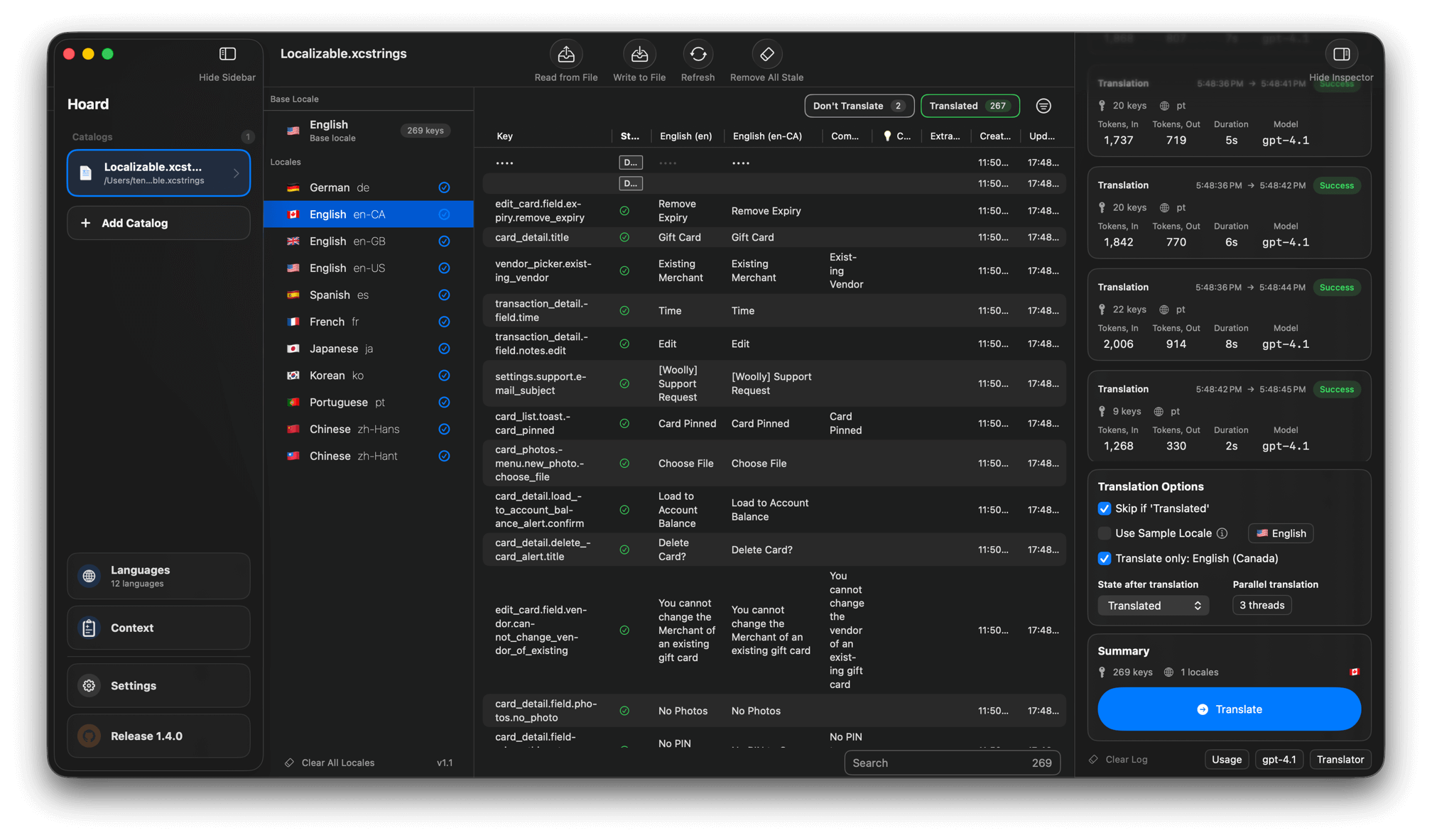 Cube app UI
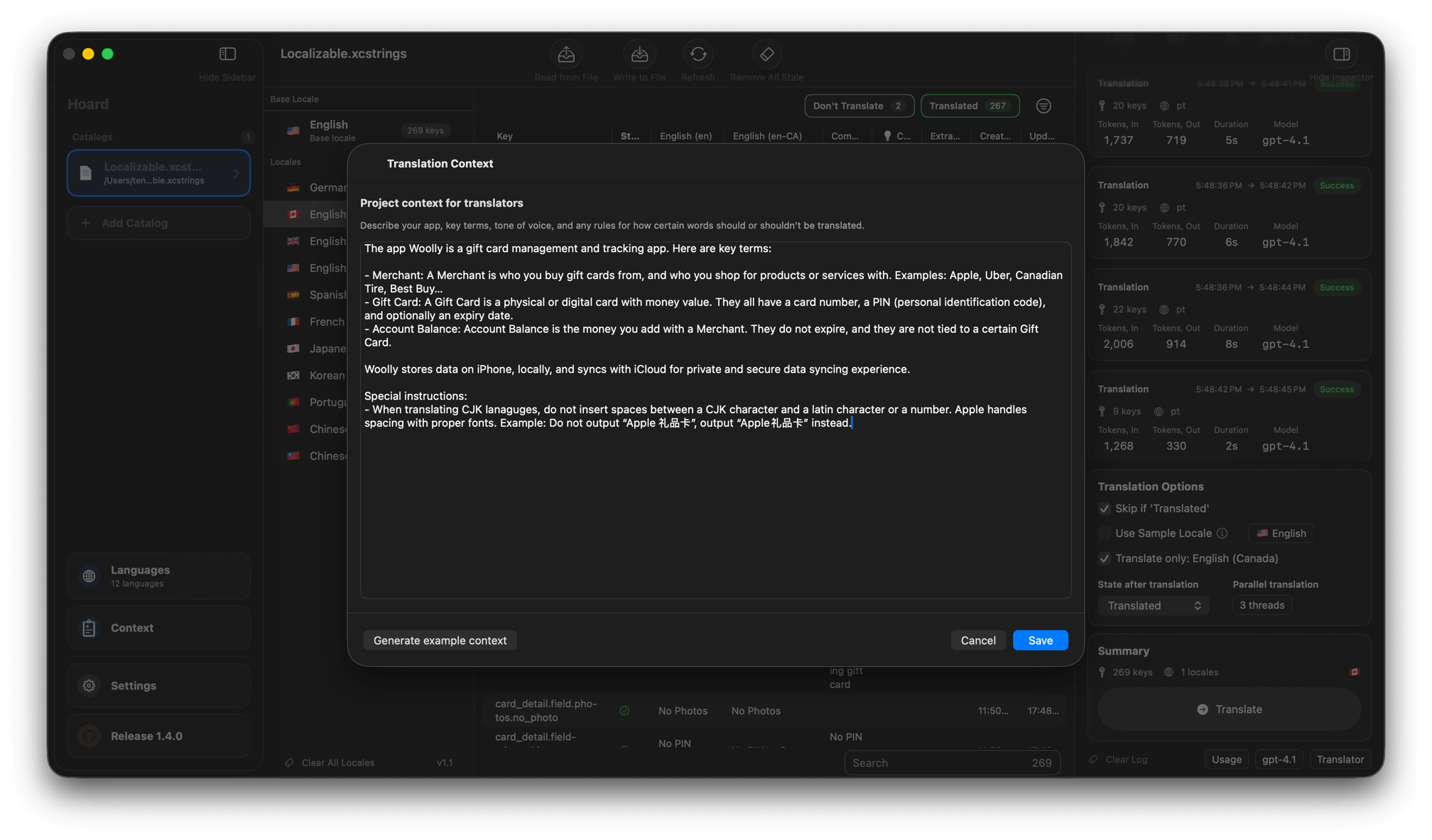 Add context and special instructions
If you’re in the market for an XCStrings localizer that does the job at a reasonable price, I recommend Cube. I hope the developer will polish the app further as there are some bugs, but nothing deal-breaking:
- For each app session, I can only open the same project once. (Cube uses “Projects” to manage app state and configurations.) To open the project again, I’ll need to open another project first, or quit and relaunch Cube.
- It’s incredibly easy to overwrite app state by clicking “Clear All Locales”. Same for clicking “Read from File”. I hope the workflow can be more streamlined.
- Upon my first try, I almost gave up finding the “translate” feature. It’s tucked in the Inspector column that’s hidden by default. Again, the process could be more streamlined.
Now… I’ll move on to what other apps I’ve tried, but didn’t work out.
What didn’t work
XCStrings Pro — priced at CA$12.99, the app doesn’t open the XCStrings file. It also doesn’t open by “drag and drop” as promised on the app’s website. I requested a refund from Apple.
AI App Localization: xcstrings — opens XCStrings file OK, but crashes as soon as I try to resize the window. There’s no way I can work with a window that only takes up 1/9th of the space of my laptop.
XCBabel — opens fine, and it uses Apple’s local translation, so no pay-as-you-go token costs. But the app doesn’t recognize plural variants, a clear dealbreaker for me.
XCStrings Buddy: AI Translator — opens XCStrings file OK, and works as intended. The developer threw me 1,000 free credits to use, but I burnt through all of them halfway localizing my app Woolly into Traditional Chinese. Another 1,000 credits would cost CA$8, and I could get a roughly 50% discount by buying bulk, getting 10,000 credits for CA$35. In comparison, I localized Woolly into 6 languages, and added UK, US, Canadian English variants, and OpenAI charged me roughly $2.
What’s absurd is that the developer would charge you credit when you localize with Apple’s on-device translation framework. No, thank you.
Parting thoughts
As Bill Gates1 once put it:
People overestimate what can be done in one year, and underestimate what can be done in ten.
It’s often easy to look at what LLM does today, and think it isn’t that different than what it was a year ago. But LLM and OpenAI weren’t a thing four years ago. It’s easy to overlook the long-term trend that’s happening, and I’m excited to see how it brings my app to more audience, regardless of the language they speak.
I hope this article can be of help if you’re in the market of a good AI localization app, too. Do you know another good app that does this? Did I miss anything? Let me know!
-
Maybe it’s a quote from Arthur C. Clarke or someone else — people seem to disagree with the source here. ↩