MapKit for SwiftUI was introduced in 2023 (the year of iOS 17). This marked the inception of using Apple Maps controls without the UIKit detour.
One annotation is MapPolyline, “an open polygon overlay consisting of one or more connected line segments.” Its UIKit counterparts are twofold: MKPolylineRenderer and its subclass MKGradientPolylineRenderer, with the latter rendering a polyline with gradients, as its name suggests.
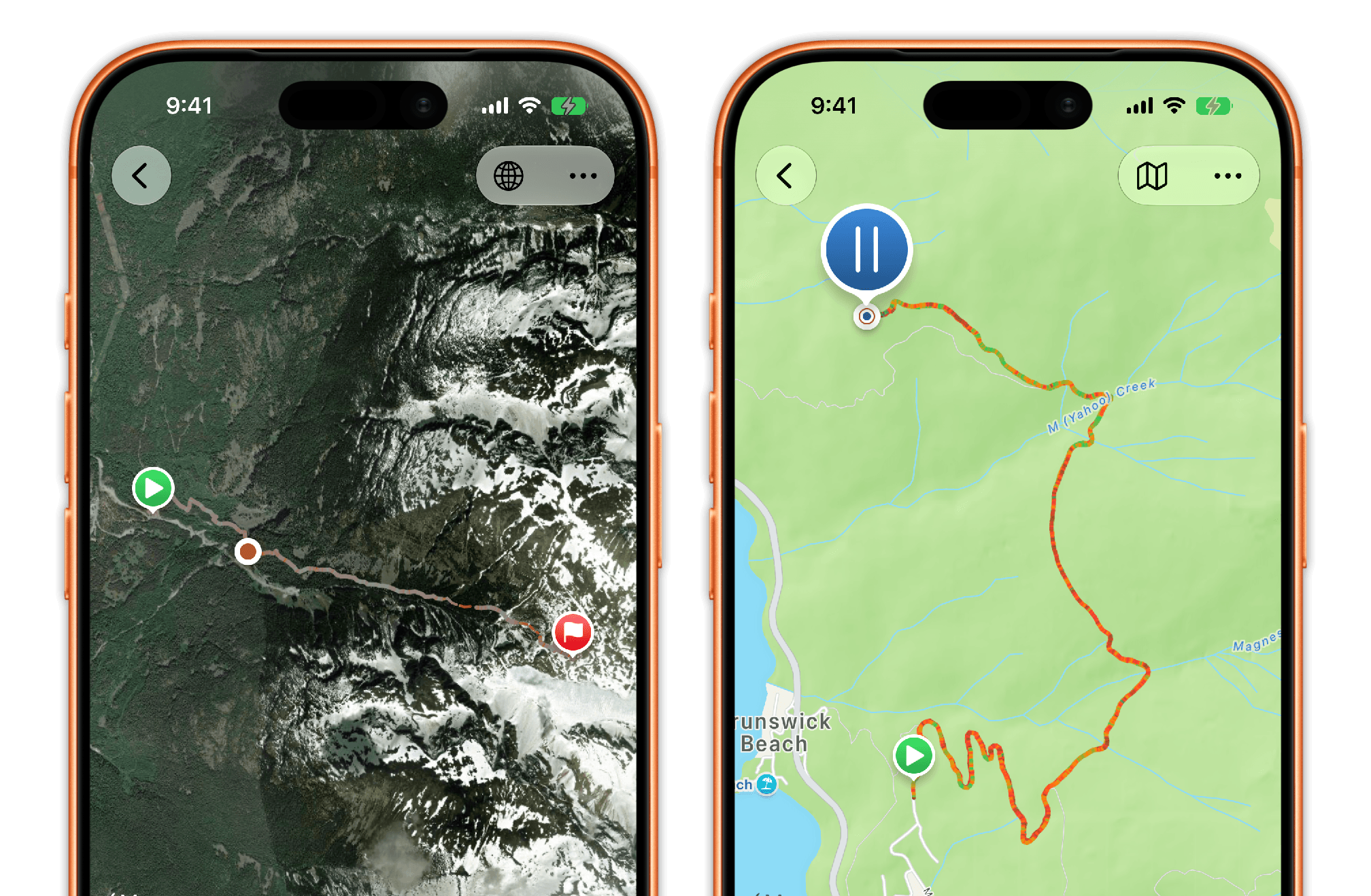
When I was working on Waymark, I couldn’t find anything in the documentation about drawing the SwiftUI polyline with a gradient. Claude Code on Fable 5, despite prompting, would insist that I either use a UIKit bridge or draw the polyline as individual segments (this proved grossly inefficient for Waymark, which typically displays thousands of segments along the hiking route on the map). The only article that mentioned this is this piece from Matthaus Woolard. I thought I’d echo his example here.
The Key Example
Copying Woolard’s example code below:
MapPolyline(
	coordinates: coordinates
)
.stroke(
	Gradient(colors: [.red, .indigo])
)
This is the skeleton of how to draw a map polyline with a gradient stroke. You can of course add refinements and customize the stroke width, miter limits, and connecting styles, but the core is simple: just MapPolyline + Gradient.
Some Discussions
Plain Gradient, not linear or radial
To make MapPolyline draw in a gradient, you should use the plain SwiftUI Gradient structure. In UI code, we often use LinearGradient or RadialGradient and almost never touch the plain Gradient structure. This is its time to shine.
You can add a thousand colours to the gradient
As mentioned, Waymark uses a map polyline to display key data on the route, such as moving speed. The polyline may easily contain thousands of steps along the route. In practice, this polyline doesn’t slow down map rendering at all — everything is buttery smooth when you pan and zoom the map.
You can also use the init(stops:) initializer to control the relative length of each colour stop, instead of having the colours space out evenly.
You must use opaque colours
One quirk with SwiftUI’s MapKit controls is that you must use opaque colours on the polyline. When a stop has an alpha channel, the entire polyline renders with the first colour in the array, uniformly. This seems to be one thing that isn’t at feature parity with its UIKit counterpart.
Redraw lags behind when zooming
Behind the scenes, Metal should redraw the polyline when you zoom in/out or pan the map. But per my testing, this doesn’t happen responsively enough. The lag is especially bad when your gradient has hundreds of colour stops. This seems to happen on both iOS 26.6 and iOS 27 beta 6. It’s not that the rendering takes time — the first draw when the map appears is always instantaneous. I’ve reported this to Apple, but thought I’d also note it here.
For my app, I’m settled with the lag as is. But you might want to find ways to sidestep the problem if responsiveness in zooming is crucial to your app’s experience.
Parting Thoughts
Drawing polylines on SwiftUI maps shouldn’t be a pain, but it did drain a few hours of my time trying to get it right. This article is my brick to the lighthouse that signals its feasibility.